
Wiseplay IPTV Guide 2026: Setup, M3U Lists & Best Subscription
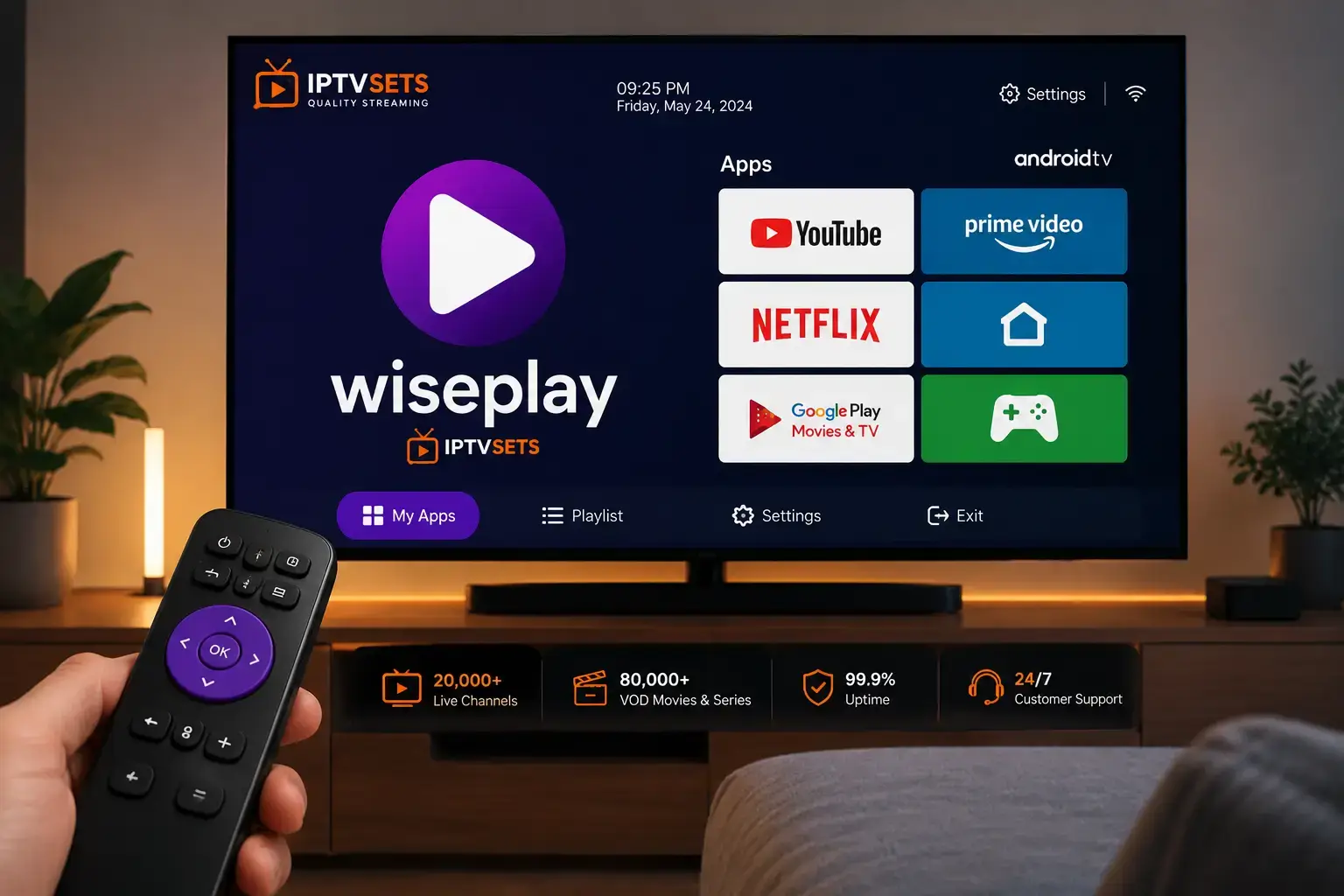
🔑 Key Points
- Wiseplay is a free IPTV player app widely used in Spain and Latin America — available on Android and Amazon Firestick.
- It supports M3U playlist URLs, Xtream Codes API and local M3U file import — full format flexibility.
- The interface is fully available in Spanish, making it the go-to IPTV player for Spanish-speaking users worldwide.
- Setup takes under 3 minutes: download the app, add your M3U URL or Xtream Codes, browse 16,000+ channels.
- Compatible with IPTV Sets credentials instantly — M3U URL and Xtream Codes both activate in under 60 seconds.
- The app is completely free — your only cost is the IPTV subscription you pair with it.
Wiseplay is the most popular IPTV player in the Spanish-speaking world in 2026. If you have ever searched for an IPTV player in Spanish — or asked on a Spanish IPTV community which app to use — the answer is almost always Wiseplay. Its popularity is well earned: a clean interface fully available in Spanish, fast channel loading, reliable M3U and Xtream Codes support, and compatibility with virtually every Android device used in Spain and Latin America.
What makes this app particularly relevant in 2026 is its combination of simplicity and capability. Unlike heavier players that require configuration knowledge, it gets you from download to watching live channels in under three minutes. According to Statista’s streaming market data, the IPTV player segment is growing fastest in Spanish-speaking markets — and this player is the primary beneficiary of that growth.
But understanding what Wiseplay is — and what it is not — is essential before setup. The app delivers nothing on its own. It is the interface through which your IPTV subscription flows. The streaming quality, channel availability and stability all come from your provider, not the player. This guide covers both: how to set it up properly, and which subscription makes the most of it in 2026.
How to Download and Install the App in 2026
The app is free and available on multiple platforms. Here is how to install it on each device:
Install on Android
Open the Google Play Store on your Android smartphone or tablet. Search for “Wiseplay”. Tap Install — the app is free and downloads in under 30 seconds. Compatible with Android 5.0 and above.
Install on Amazon Firestick
On Amazon Firestick or Fire TV, go to the Search function from the home screen. Search for the app. Select it and tap Download. Available directly from the Amazon Appstore — no sideloading required.
Open the App and Add Your Playlist
Launch the app. Tap the Plus (+) icon or the Add Playlist button. Choose URL to add your M3U link or Xtream Codes credentials from IPTV Sets.
Enter Your M3U URL or Xtream Codes
Paste your IPTV Sets M3U URL directly, or enter your Xtream Codes server URL, username and password. Name the playlist (e.g. “IPTV Sets”) and tap Confirm. Your full channel list loads within 30 to 60 seconds.
Browse and Watch
Channels appear organised by category in Spanish — deportes, noticias, entretenimiento, películas. Tap any channel to stream immediately. Tap the guide icon to access the EPG programme schedule.
How to Add an M3U Playlist — Step by Step
The M3U URL method is the simplest way to get started. Here is the exact process:
- Open the app → tap the + button in the top right
- Select URL from the options (not Local File)
- In the URL field, paste your IPTV Sets M3U playlist URL exactly as received
- Give the list a name — for example “IPTV Sets 2026”
- Tap Add or Confirm
- The player fetches the playlist — channels load automatically within 60 seconds
- Browse by category or use the search function to find specific channels
Features — What the App Offers in 2026
Spanish Interface
This is one of the only IPTV players with a full Spanish-language interface — menus, categories and settings all in Spanish. Essential for the Spanish and Latin American market.
M3U & Xtream Codes
Full support for both M3U playlist URLs and Xtream Codes API. Compatible with any IPTV provider delivering standard credentials.
EPG Support
Electronic Program Guide loaded automatically from your provider — see what is on now and upcoming across all channels.
Channel Search
Search across thousands of channels by name instantly. The search function is fast and accurate — essential for large channel libraries.
Local M3U Files
Import M3U files saved locally on your device — useful for offline playlist management or backup credentials.
Multi-List Support
Add multiple playlists from different providers simultaneously and switch between them from the Wiseplay home screen.
Comparing the Best IPTV Players — 2026
| App | Spanish Interface | M3U | Xtream | Price | Best For |
|---|---|---|---|---|---|
| Wiseplay | ✓ Full Spanish | ✓ | ✓ | Free | Spanish speakers |
| IPTV Smarters Pro | Partial | ✓ | ✓ | Free | Cross-platform |
| TiviMate | ✗ | ✓ | ✓ | Free / €5/yr | Android TV / Firestick |
| IBO Player | ✗ | ✓ | ✓ | Free | Samsung / LG Smart TV |
| GSE Smart IPTV | ✗ | ✓ | ✓ | Free / €8 | iPhone / Apple TV |
For Spanish-speaking users in 2026, this player is the clear first choice. The native Spanish interface removes all friction for users who are less comfortable navigating English-only apps. For users on other devices or operating systems, IPTV Smarters Pro and TiviMate are the strongest alternatives — both compatible with the same IPTV Sets credentials.
Best IPTV Subscription for the App in 2026
Every IPTV Sets subscription delivers M3U URLs and Xtream Codes credentials compatible with Wiseplay on Android and Firestick. Test with the free 24-hour trial before choosing your plan:
- 16,000+ Channels
- 4K / FHD / HD
- M3U + Xtream
- Compatible
- 16,000+ Channels
- 4K / FHD / HD
- M3U + Xtream
- Wiseplay ready
- 16,000+ Channels
- 4K / FHD / HD
- M3U + Xtream
- Wiseplay ready
- 16,000+ Channels
- 4K / FHD / HD
- M3U + Xtream
- Wiseplay ready
- 16,000+ Channels
- 4K / FHD / HD
- M3U + Xtream
- Wiseplay ready
Frequently Asked Questions About Wiseplay
Yes — the app is completely free to download and use on Android and Firestick. There are no premium tiers or in-app purchases. Your only streaming cost is your IPTV subscription — IPTV Sets plans start from €15/month, with the Ultimate 24-month plan at €4.13/month.
Yes — it fully supports Xtream Codes API credentials (server URL, username, password) as well as M3U playlist URLs. IPTV Sets provides both formats with every subscription. Xtream Codes is the recommended method for long-term use as it ensures your channel list updates automatically.
No — the app is currently available only on Android and Amazon Fire TV. For iPhone and iPad users, the best alternatives are GSE Smart IPTV and IPTV Smarters Pro — both available on the App Store, both supporting M3U and Xtream Codes, and both compatible with IPTV Sets credentials.
Open the player → tap + → select URL → paste your IPTV Sets M3U URL → name the playlist → tap Confirm. Your channel list loads automatically within 30 to 60 seconds. Alternatively, use the Xtream Codes option and enter your server URL, username and password for automatic channel updates.
IPTV Sets is the best subscription to pair with this app in 2026 — delivering M3U URLs and Xtream Codes credentials that activate in the app instantly. 16,000+ channels, 250,000+ VODs, 4K quality and anti-buffering technology. The free 24-hour trial lets you test the app with IPTV Sets before committing to any paid plan.
IPTV Sets Editorial Team
Streaming Technology Specialists · iptvsets.com
Tested on Android 14, Amazon Firestick 4K Max and Android TV Box with IPTV Sets credentials — evaluating M3U loading speed, Xtream Codes setup, EPG accuracy and channel navigation across Spanish-language categories.